
Software testing basics is one of the most important topics for beginners who want to enter the IT industry. Whether you want to become a QA engineer, software tester, or automation tester, understanding the fundamentals of testing is essential. Software testing ensures that an application works correctly, meets user requirements, and remains secure and stable.
In today’s digital world, software applications are used everywhere—banking apps, e-commerce websites, mobile games, business tools, and even healthcare systems. If software fails, it can cause serious problems such as financial loss, security breaches, and customer dissatisfaction. That is why learning software testing basics is a must for every IT professional.
This detailed guide covers everything you need to know about software testing, including types of testing, testing techniques, test cases, SDLC, STLC, tools, and career opportunities.
What Are Software Testing Basics?
Software testing basics refers to the fundamental concepts, processes, and techniques used to check whether a software product works as expected. The main purpose of software testing is to identify bugs, errors, and missing requirements before the product is released.
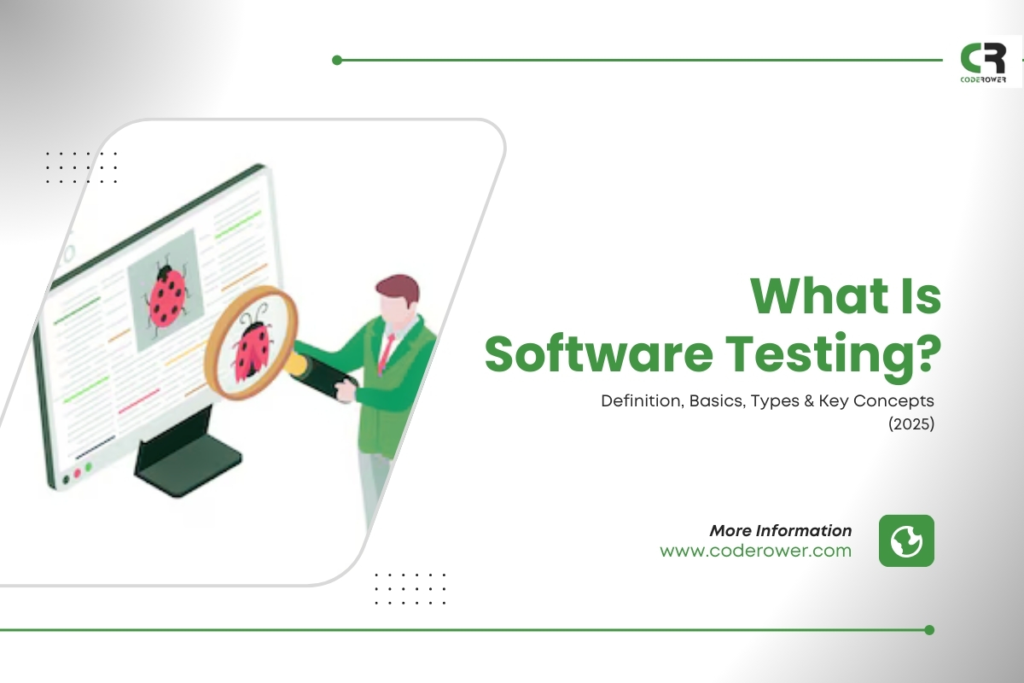
Software testing answers important questions like:
- Does the software perform correctly?
- Are all features working properly?
- Does the application meet the customer’s needs?
- Is the software secure and reliable?
- Does it work smoothly on different devices?
In simple words, software testing is the process of verifying and validating a software application.
Why Software Testing Basics Are Important
Learning software testing basics is important because software quality is a major factor in business success. A bug-free application builds customer trust, improves user experience, and increases profits.
Here are the main reasons why testing matters:
Ensures Product Quality
Testing helps deliver a stable and high-quality product.
Saves Time and Cost
Fixing bugs after release is expensive. Testing helps catch issues early.
Improves User Satisfaction
Users prefer applications that run smoothly without crashes.
Reduces Business Risk
A faulty system can damage a company’s reputation and cause financial loss.
Helps Maintain Security
Testing can identify vulnerabilities and prevent hacking attacks.
Software Testing Basics: Verification vs Validation
A key part of software testing basics is understanding the difference between verification and validation.
Verification
Verification checks whether the software is being built correctly according to requirements.
Example: Reviewing documents, code inspections, and design checks.
Validation
Validation checks whether the correct product is being built for the user.
Example: Running tests to confirm software works in real conditions.
Simple Rule:
- Verification = Are we building the product right?
- Validation = Are we building the right product?
Software Testing Basics: Types of Software Testing
There are many types of testing, and understanding them is essential.
Functional Testing
Functional testing checks if the software functions match the requirements.
Examples:
- Login works correctly
- Buttons respond properly
- Payment process completes successfully
Non-Functional Testing
Non-functional testing checks performance and quality aspects.
Examples:
- Speed of application
- Security level
- User interface design
- Compatibility across devices
Both functional and non-functional testing are core concepts of software testing basics.
Software Testing Basics: Manual Testing Explained
Manual testing is when a tester checks software manually without using automation tools.
In manual testing, the tester:
- executes test cases
- compares expected and actual results
- reports bugs
Manual testing is important for beginners because it helps you understand application behavior.
Advantages of Manual Testing
- Easy to start
- No programming required
- Good for UI and usability testing
Disadvantages of Manual Testing
- Time-consuming
- Not suitable for large repetitive tasks
- Higher chance of human error
Software Testing Basics: Automation Testing Explained
Automation testing is performed using scripts and tools to test software automatically.
Automation is useful for repetitive tasks like regression testing.
Popular automation tools include:
- Selenium
- Cypress
- Playwright
- TestNG
- JUnit
Automation testing requires coding knowledge, but it saves time and improves accuracy.
Advantages of Automation Testing
- Faster execution
- Repeatable testing
- Better for large projects
Disadvantages of Automation Testing
- Requires programming skills
- Tool setup is complex
- Not suitable for all test cases
Software Testing Basics: Black Box Testing
Black box testing is a technique where the tester does not know the internal code structure. The tester only focuses on inputs and outputs.
Example:
- Enter wrong password → Should show error message
- Enter correct login → Should go to dashboard
Black box testing is widely used in manual testing and is a key part of software testing basics.
Software Testing Basics: White Box Testing
White box testing is performed with knowledge of the internal code. The tester checks logic, code flow, loops, and conditions.
This type of testing is usually done by developers or automation testers.
Examples:
- Unit testing
- Code coverage testing
- Loop testing
White box testing helps detect internal code issues.
Software Testing Basics: Grey Box Testing
Grey box testing is a mix of black box and white box testing. The tester has limited knowledge of internal logic but still tests mainly from the user perspective.
Grey box testing is common in real projects because QA teams often know system architecture but don’t write full code.
Software Testing Basics: Levels of Testing
Software testing is divided into different levels. Understanding these levels is critical.
Unit Testing
Unit testing checks individual modules or functions.
Usually performed by developers.
Integration Testing
Integration testing checks how different modules work together.
Example:
Login module + Database module integration.
System Testing
System testing checks the complete application as a whole.
Example:
Testing a full e-commerce website from login to checkout.
Acceptance Testing
Acceptance testing ensures the product meets customer requirements.
This testing is often done before final release.
Software Testing Basics: Testing Methods
Testing can be performed using different approaches:
Static Testing
Static testing is performed without executing the code.
Examples:
- requirement review
- code review
- walkthroughs
Dynamic Testing
Dynamic testing involves running the software.
Examples:
- executing test cases
- checking performance
Both static and dynamic testing are essential concepts in software testing basics.
Software Testing Basics: SDLC and STLC
To become a professional tester, you must understand SDLC and STLC.
SDLC (Software Development Life Cycle)
SDLC is the process of developing software, including:
- Requirement gathering
- Design
- Development
- Testing
- Deployment
- Maintenance
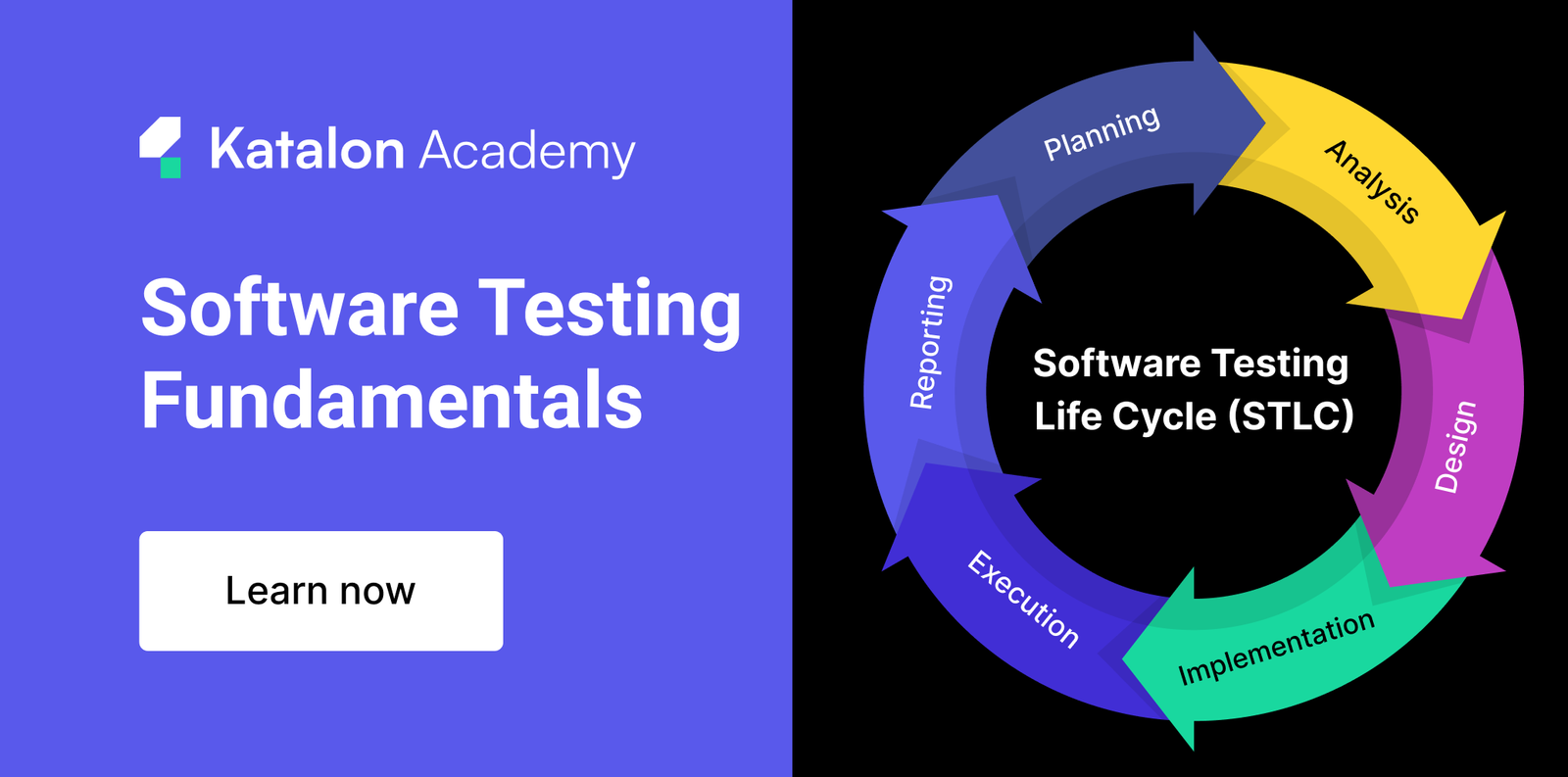
STLC (Software Testing Life Cycle)
STLC is the testing process, including:
- Requirement analysis
- Test planning
- Test case development
- Test environment setup
- Test execution
- Test cycle closure
Understanding SDLC and STLC is a must for mastering software testing basics.
Software Testing Basics: What Is a Test Case?
A test case is a set of steps written to test a specific feature.
A test case includes:
- Test Case ID
- Test Scenario
- Steps to execute
- Test Data
- Expected result
- Actual result
- Status (Pass/Fail)
Example Test Case (Login Feature)
Scenario: Verify login with valid credentials
Steps:
- Open login page
- Enter correct username
- Enter correct password
- Click login button
Expected Result: User should be logged in successfully.
Test cases help testers maintain structured testing.
Software Testing Basics: What Is a Bug?
A bug is an error or defect in the software that causes incorrect results.
Bug vs Defect vs Error
These terms are often used interchangeably, but they have small differences:
- Error: Mistake made by developer
- Defect: Issue in code
- Bug: Problem found during testing
- Failure: When software stops working in real use
Software Testing Basics: Bug Life Cycle
The bug life cycle shows the stages of a bug from detection to closure.
Common bug statuses:
- New
- Assigned
- Open
- Fixed
- Retest
- Verified
- Closed
- Rejected
- Duplicate
Understanding the bug life cycle is essential in software testing basics because QA testers work daily with bug tracking.
Software Testing Basics: Severity vs Priority
Another important concept is severity and priority.
Severity
Severity defines how serious the bug is.
Types:
- Critical
- High
- Medium
- Low
Priority
Priority defines how quickly the bug should be fixed.
Types:
- High priority
- Medium priority
- Low priority
Example:
A spelling mistake may have low severity but high priority if it appears on the homepage.
Software Testing Basics: Test Plan
A test plan is a document that explains the testing strategy for a project.
A test plan includes:
- scope of testing
- testing schedule
- resources required
- testing tools
- risks and assumptions
A test plan helps teams manage testing efficiently.
Software Testing Basics: Common Testing Techniques
There are different testing techniques used in QA.
Boundary Value Analysis (BVA)
This technique tests values at the boundaries.
Example:
If input range is 1–100, test:
- 0, 1, 2
- 99, 100, 101
Equivalence Partitioning
Divides input into valid and invalid groups.
Example:
Age field valid range 18–60:
- valid: 20, 40, 55
- invalid: 10, 70
Decision Table Testing
Used when there are multiple conditions and rules.
These techniques are frequently used in software testing basics.
Software Testing Basics: Regression Testing
Regression testing checks whether new updates break existing features.
Example:
After fixing a login bug, check:
- signup
- password reset
- profile settings
Regression testing is essential in agile development.
Software Testing Basics: Smoke Testing
Smoke testing checks whether the main features of the application work after a new build.
Example:
- Can app open?
- Can user login?
- Can dashboard load?
If smoke testing fails, detailed testing is not performed until fixed.
Software Testing Basics: Sanity Testing
Sanity testing is a quick test after minor changes.
Example:
If developers fix only the payment page, sanity testing checks if payment works properly.
Sanity testing is smaller than regression testing.
Software Testing Basics: Performance Testing
Performance testing checks how software behaves under load.
It focuses on:
- speed
- response time
- stability
- scalability
Types include:
- load testing
- stress testing
- spike testing
Performance testing is critical for banking, e-commerce, and social media apps.
Software Testing Basics: Security Testing
Security testing checks vulnerabilities in software.
It ensures protection against:
- hacking
- SQL injection
- malware
- data leakage
Security testing is becoming increasingly important in 2026 due to cybercrime growth.
Software Testing Basics: Tools Used in Testing
Testing tools help improve efficiency and quality.
Manual Testing Tools
- Jira (bug tracking)
- Trello (task management)
- TestRail (test case management)
Automation Tools
- Selenium
- Cypress
- Playwright
Performance Tools
- JMeter
- LoadRunner
API Testing Tools
- Postman
- SoapUI
Tools are not mandatory for beginners, but learning them improves career opportunities.
Software Testing Basics: API Testing Introduction
API testing checks backend services.
For example, a mobile app uses APIs to:
- login
- fetch data
- send payment request
API testing ensures backend logic is working correctly even before UI testing.
Postman is one of the most popular tools for API testing.
Software Testing Basics: Agile Testing Process
Most software companies today follow Agile methodology.
In Agile:
- work is divided into sprints
- testing happens continuously
- quick releases are common
Testers must adapt quickly and test features in short time frames.
Agile testing requires strong communication and fast execution.
Software Testing Basics: Career Scope in 2026
Software testing is one of the fastest-growing IT careers.
Popular QA job roles include:
- Manual Tester
- Automation Tester
- QA Engineer
- Performance Tester
- Security Tester
- QA Lead
Skills Needed for QA Career
- understanding of SDLC and STLC
- test case writing
- bug reporting
- basic SQL
- basic programming (for automation)
- communication skills
Learning software testing basics can help you start your IT career without deep coding knowledge.
Software Testing Basics: Tips for Beginners
If you are new to testing, follow these tips:
- Start with manual testing concepts
- Practice writing test cases
- Learn Jira for bug reporting
- Understand SDLC and STLC
- Learn basic SQL queries
- Explore automation tools later
Step-by-step learning is the best approach.
Conclusion: Software Testing Basics Explained Clearly
In conclusion, software testing basics is a crucial topic for anyone entering the software industry. Testing ensures software quality, improves customer satisfaction, reduces business risk, and helps deliver reliable applications.
By learning the fundamentals like test cases, bug life cycle, SDLC, STLC, types of testing, and testing tools, you can build a strong foundation for a successful QA career.
